Custom Categories for Spending: The Shortcut to Clean Data
Most people don’t overspend because they’re “bad with money.”
They overspend because their data is lying to them.
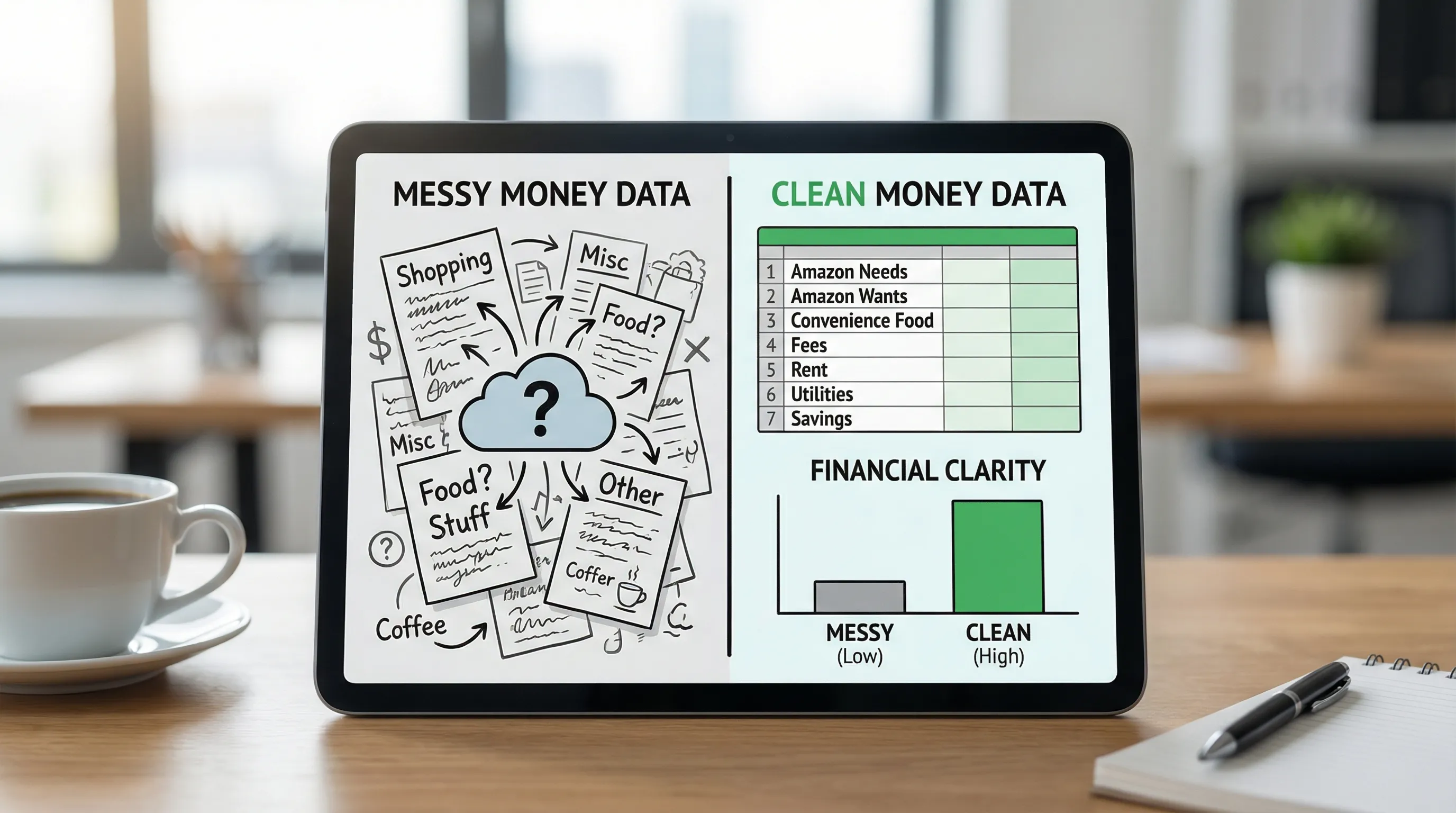
If your spending tracker is dumping half your life into “Shopping” and “Misc,” your budget isn’t a budget. It’s abstract art.
And in 2026, “abstract art” is an expensive hobby. According to a CNBC report, about 60% of Americans are living paycheck to paycheck, with major financial stress and widespread credit card debt in the mix (CNBC). When your margin for error is thin, messy categories are not a quirky inconvenience. They are a tax.
That’s why custom categories for spending are the shortcut to clean data.
Clean data leads to clear decisions. Clear decisions lead to more savings. More savings leads to options. Options lead to the good life.
Or at minimum, fewer “Wait, what was that charge?” moments.
The dirty secret: default categories create fake stories
Meet Jordan.
Jordan is a normal adult who thinks they spend “about $400 a month on food.” Then they look at their tracker and see:
- Dining
- Groceries
- Shopping
- Uncategorized
That’s not a food budget. That’s a crime scene.
Because here’s what’s really happening:
- Groceries includes actual groceries, plus paper towels, shampoo, dog treats, and a rogue $39.99 impulse air fryer.
- Dining includes restaurants, plus coffee, plus “work lunch,” plus that one night Uber Eats delivered sadness.
- Shopping is a black hole where Amazon, Target, Costco, and “I deserved this” all go to die.
So Jordan tries to “cut dining out,” but the data can’t even tell them what dining out is.
Your budget can’t fix what your categories refuse to describe.Custom categories for spending: what they are (and what they’re not)
Custom categories for spending are exactly what they sound like: categories you create to match your life, not a generic template built for someone who thinks “Entertainment” is one thing.
But let’s clear up a common confusion:
- Categories answer: “What kind of spending is this?” (Groceries, Rent, Childcare, Gas)
- Labels answer: “What is this spending for?” (New York Trip 2026, Baby Prep, Kitchen Remodel)
A good system uses both.
Categories keep your core numbers clean. Labels add context without turning your category list into a 900-item scroll of doom.
If you want the deeper version of this setup philosophy, FIYR has a practical guide on building a maintainable category system: Budgeting Categories List: A Clean Setup That Works.
Why clean categories are a FIRE cheat code
FIRE math is brutally simple:
- Your spending drives your FI number.
- Your savings rate drives your timeline.
If your categories are sloppy, your spending number is inflated, undercounted, or just plain delusional. That means your FIRE plan is built on vibes.
And vibes do not retire early.
This is also why any FIRE calculator is only as good as the transaction data feeding it. FIYR’s platform is designed around that reality with spending tracking, net worth tracking, savings rate insights, and a FIRE date calculator that’s based on real user data. It’s not magic, it’s math with fewer lies.
If you want the spending-to-FI connection spelled out, this pairs well with: FIRE Number Formula Explained in Plain English.
The Clean Data Ladder (aka: stop boiling the ocean)
Most people swing between two extremes:
- Minimalist: “Everything is fine in ‘General Spending.’”
- Maximalist: “I need a category for ‘Croissants’ and one for ‘Pain au chocolat.’”
Let’s be smarter.
Here’s a simple ladder you can climb without losing your sanity:
| Level | Your category system looks like | What you gain | What can go wrong |
|---|---|---|---|
| 0 | Default app categories | Fast setup | Confusing, low signal |
| 1 | 8 to 12 decision-focused categories | Clarity, fewer surprises | Some merchants still messy |
| 2 | Custom categories for your biggest leaks | Real behavior change | Too many categories if you overdo it |
| 3 | Automation rules + labels for context | Clean data with low effort | Needs light maintenance |
Your goal is Level 2 or 3.
Not because it’s pretty, because it’s profitable.How to choose custom categories (the 3-question filter)
Before you create a category, ask:
1) Will this change a decision I make?
If the answer is “no,” it’s trivia.
Good: “Takeout” (because you’ll actually set a cap)
Meh: “Thai takeout” (unless you have a pad see ew problem)
2) Is this big enough to matter?
A category should usually represent a meaningful slice of your spending, or a meaningful source of regret.
If it’s $12 a month and you never think about it, don’t build a shrine to it.
3) Will I know where to file the transaction in 2 seconds?
If you hesitate, you’ll miscategorize it.
And miscategorization is how “clean data” becomes “fan fiction.”
The five custom categories that clean up most budgets fast
If you’re starting from scratch (or migrating from Mint, Quicken, Monarch Money, Copilot, Rocket Money, Simplifi, spreadsheets, or sheer denial), these are high-impact custom categories that tend to fix the mess quickly:
- Amazon (Needs): household essentials, toiletries, boring adult purchases
- Amazon (Wants): gadgets, “deals,” late-night optimism
- Convenience Food: coffee, snacks, vending machines, gas station “meals”
- Household Supplies: everything that isn’t food but somehow shows up in your grocery cart
- Fees and Interest: overdraft fees, card interest, bank fees, late fees (the “I got played” category)
That last one is important because fees hide in plain sight. When you track them explicitly, you start treating them like what they are: a scam with extra steps.
Custom categories by life situation (templates that actually match reality)
Different people need different visibility. A student doesn’t need the same tracking as a household with two kids, a dog, and a minivan that drinks gas like it’s in a frat.
Here are examples of custom categories that work by persona:
| Persona | Custom categories to consider | Why it matters |
|---|---|---|
| Mint refugee | Amazon (Needs/Wants), Subscriptions, Fees and Interest, “Needs Review” | Default categories often bury the truth |
| New family | Childcare, Baby/Kid Supplies, Convenience Food, Medical, Sinking Funds | Kids create lumpy spending and chaos |
| Freelancer/creator | Client Expenses, Software Tools, Taxes Set-Aside, Business Travel, Income Buffers | Cash flow needs clean separation |
| FIRE-focused | Core Expenses, Lifestyle, One-Time Projects, Giving, Travel, “FI Inputs” | You want clean annual spending for planning |
If you’re a new parent specifically, this also connects well with: Budgeting for New Parents: Diapers, Debt, and Sanity.
The “Amazon Problem” (and how custom categories fix it)
Amazon is not a merchant.
Amazon is a wormhole.
If all Amazon spending goes into one category, you will never know if you’re overspending on essentials, or just funding Jeff Bezos’ next yacht-shaped rocket.
The fix is simple:
- Create Amazon (Needs) and Amazon (Wants)
- Use rules to auto-categorize what you can
- Use labels for big projects like “New Apartment Setup” or “Wedding Season”
In FIYR, you can combine custom categories with automatic transaction rules so the system gets smarter over time. Less busywork, more signal.
If you want to go deep on rules, start here: Spending Rules Automation: Categorize Faster and Never Miss a Transaction.
Naming conventions that prevent category chaos
This is the boring part that saves you later.
Use a naming system so future-you doesn’t have to decode past-you’s creative phase.
A simple approach:
- Start with the noun: “Travel,” “Groceries,” “Subscriptions”
- Add a qualifier only when it changes behavior: “Travel (Work)” vs “Travel (Personal)”
- Keep similar things alphabetically close: “Amazon (Needs)” and “Amazon (Wants)”
- Avoid vague categories like “Stuff,” “Other,” “Random,” or “Why am I like this”
And yes, you are allowed one emotional support category like “Stuff I Forgot.” Just don’t let it become your entire personality.
The one category you should always have: “Needs Review”
Clean data is not “everything gets categorized instantly.”
Clean data is “unclear transactions go to a holding zone, then get handled consistently.”
Create a Needs Review category for:
- new merchants
- weird PayPal charges
- refunds that look like income
- transfers that pretend to be expenses
Then handle it during a weekly check-in.
This prevents misclassification, which is the budgeting equivalent of sweeping dirt under the rug and calling it “minimalism.”
For more on keeping categories clean long-term, FIYR covers common errors and fixes here: Error-Proof Budgeting: How FIYR Keeps Spending Categories Clean.
The 15-minute weekly category hygiene ritual (steal this)
You don’t need to “track everything daily.” You need a short, repeatable rhythm.
Once a week, set a timer for 15 minutes:
- Re-categorize anything in Needs Review
- Check your top 3 categories and ask, “Does this still tell the truth?”
- Scan for duplicates like “Dining Out” and “Restaurants” (pick one)
- Add one rule for the most annoying recurring miscategorization
- Add a label if you’re in a one-time spending season (travel, holidays, moving)
Done.
Budgets don’t fail because people are lazy. They fail because the system demands too much attention. Your system should be low-maintenance, not a needy houseplant.
If you like the broader habit framework, this complements: Why You’re Overspending (And the One Habit That Could Save You $50,000).
When custom categories go too far (and how to pull back)
If your budget has 47 categories and you still feel confused, you did not build a better system.
You built a second job.
Here are the red flags:
- You debate where a transaction belongs for more than 5 seconds
- Your “Misc” category is still massive (congrats, you made a junk drawer)
- You created categories for spending you can’t control (like tiny bank adjustments)
The fix:
- Merge categories until each one answers a clear question
- Use labels for one-off context
- Automate the repeatable stuff
Clean data is not “more categories.”
Clean data is “categories that map to decisions.”
Why FIYR makes custom categories actually usable (not just theoretically nice)
A lot of money apps offer custom categories the way gyms offer treadmills. Technically available, rarely enjoyed.
What makes custom categories work in real life is the supporting cast:
- Custom categories and category groups so your system matches your brain
- Automatic transaction rules so you are not manually fixing the same merchants forever
- Subscription tracking so recurring charges do not hide inside “Bills” like a sneaky raccoon
- Net worth, savings rate, and FIRE-focused insights so the clean data turns into actual progress
FIYR is built to be a modern alternative to Mint, Monarch Money, Copilot, Rocket Money, and Quicken, with the flexibility and FIRE-first metrics most trackers treat as an afterthought.
Frequently Asked Questions
What are custom categories for spending? Custom categories for spending are categories you create to reflect your real life (like “Amazon Needs” or “Childcare”) instead of relying on generic defaults like “Shopping” or “Misc.” They improve clarity and decision-making. How many spending categories should I have? Most people do best with 8 to 12 core categories, plus a few custom categories for major leaks or high-impact areas (like subscriptions, fees, or Amazon splits). If you need a user manual to categorize a transaction, you have too many. Should I use labels or categories? Use categories for the “what” (type of spending) and labels for the “why” (context like a trip, holiday season, or a one-time project). Labels add detail without bloating your budget. How do I stop transactions from being miscategorized? Use a “Needs Review” category for unclear transactions, then fix them during a weekly check-in. Add transaction rules for recurring merchants to keep categories consistent over time. Do custom categories help with FIRE planning? Yes. FIRE planning depends on accurate spending. Custom categories reduce messy data so your annual spending, savings rate, and FIRE projections are based on reality, not vibes.Ready to stop budgeting with fake data?
If you want a budget that actually changes your life, start with the unsexy part: clean categories.
Then make it automatic.
That’s the game.
If you’re rebuilding after Mint or just tired of “Shopping” eating your financial identity, FIYR makes it easier to set up custom categories for spending, automate categorization with rules, track subscriptions, and see the metrics that matter (savings rate, net worth, and your FIRE timeline).
Keep the data clean, and the decisions get stupidly simple.
Explore more guides on the FIYR Blog or jump into a practical setup workflow with the FIYR budgeting tutorial.