Budgeting Categories List: A Clean Setup That Works
If your budget categories look like a junk drawer, your money will behave like one too.
Meet Alex. Alex is financially responsible, owns a reusable water bottle, and still ended last month thinking: “I swear I didn’t even do anything.” Then we opened the spending tracker and found the usual suspects:
- Amazon (as a lifestyle, not a merchant)
- Dining (which included coffee, takeout, and one “emotional support burrito”)
- Misc (the financial equivalent of sweeping everything under the rug)
Your budget doesn’t fail because you’re bad at math. It fails because your categories are lying to you.
And in an economy where about 60% of Americans report living paycheck to paycheck, “my categories are kind of vibes” is not a strategy.
What a “good” budgeting categories list actually does
A clean category setup isn’t about perfection. It’s about clarity.
Good categories answer questions you can act on:
- “Is my housing cost crushing my savings rate, or is it my ‘tiny treats’ addiction?”
- “Am I overspending on groceries, or am I counting Costco diapers as ‘food’?”
- “Can I afford this trip, and still hit my investing goals?”
Bad categories create noise:
- Too many micro-categories (you become your own accountant, then quit)
- Too few categories (everything becomes “General Spending,” and you learn nothing)
A budget category list should do three things:
- Make tradeoffs visible (what you spend forces what you cannot do).
- Reduce decision fatigue (simple enough to maintain).
- Create clean data (so your budget reflects reality, not wishful thinking).
Memorable takeaway: Your budget categories are the language your money speaks. Stop teaching it nonsense.
The rules of clean categories (so you don’t build a monster)
Before you copy a giant list from the internet, follow these guardrails.
Rule #1: Categories must be mutually exclusive
One transaction, one home.
If “Groceries” and “Household Supplies” both include Target runs, you’ll constantly recategorize and slowly lose the will to live.
Fix it by deciding:
- Option A: Put all Target/Walmart household runs in Groceries (simple)
- Option B: Split only when it’s worth it (diapers and paper towels can go to Household)
Pick a standard and stick to it.
Rule #2: Categories must be big enough to matter
If you spend $12/month on “Stickers,” that is not a category. That is a personality trait.
Use labels (more on that later), not categories, for tiny stuff.
Rule #3: Categories should map to decisions
If tracking something does not change your behavior, it becomes budget theater.
Example: Breaking “Streaming” into Netflix, Hulu, Disney+, Max, and Whatever-You-Subscribed-To-at-1am is not helpful.
Better: Subscriptions as one category, then audit the list quarterly.
Rule #4: Keep categories stable month to month
If you rename categories every month, you destroy comparability. Your spending trend becomes abstract art.
If you need flexibility, use labels for one-offs (like “New York Trip 2026”) while keeping your core categories consistent.
Here’s the part nobody talks about: A budget you can maintain beats a budget that’s “optimal.” Every time.
How many budget categories should you have?
Most people need fewer categories than they think.
If you’re a former Mint user, you might be tempted to recreate the entire Library of Congress in category form. Don’t.
Use this rule of thumb:
| Setup level | Total categories (typical) | Best for | The danger zone |
|---|---|---|---|
| Starter clean | 12 to 18 | First-time budgeters, busy households | Too broad, “Misc” grows legs |
| Practical detailed | 19 to 30 | Most people, most incomes | Category sprawl and constant tweaking |
| Power-user | 31 to 45 | Small business owners, detailed planners | Maintenance tax (you stop tracking) |
If you want FIRE-level results, the secret is not more categories. It’s clean categories + consistent review + rising savings rate.
Quotable truth: Complexity is a fancy way to hide avoidance.
Budgeting categories list (clean setup that works)
This is the “boringly effective” template. It’s built to handle real life: bills, chaos, subscriptions, impulse buys, and the occasional identity crisis at REI.
Core category groups (use these as your structure)
Think in groups first, categories second.
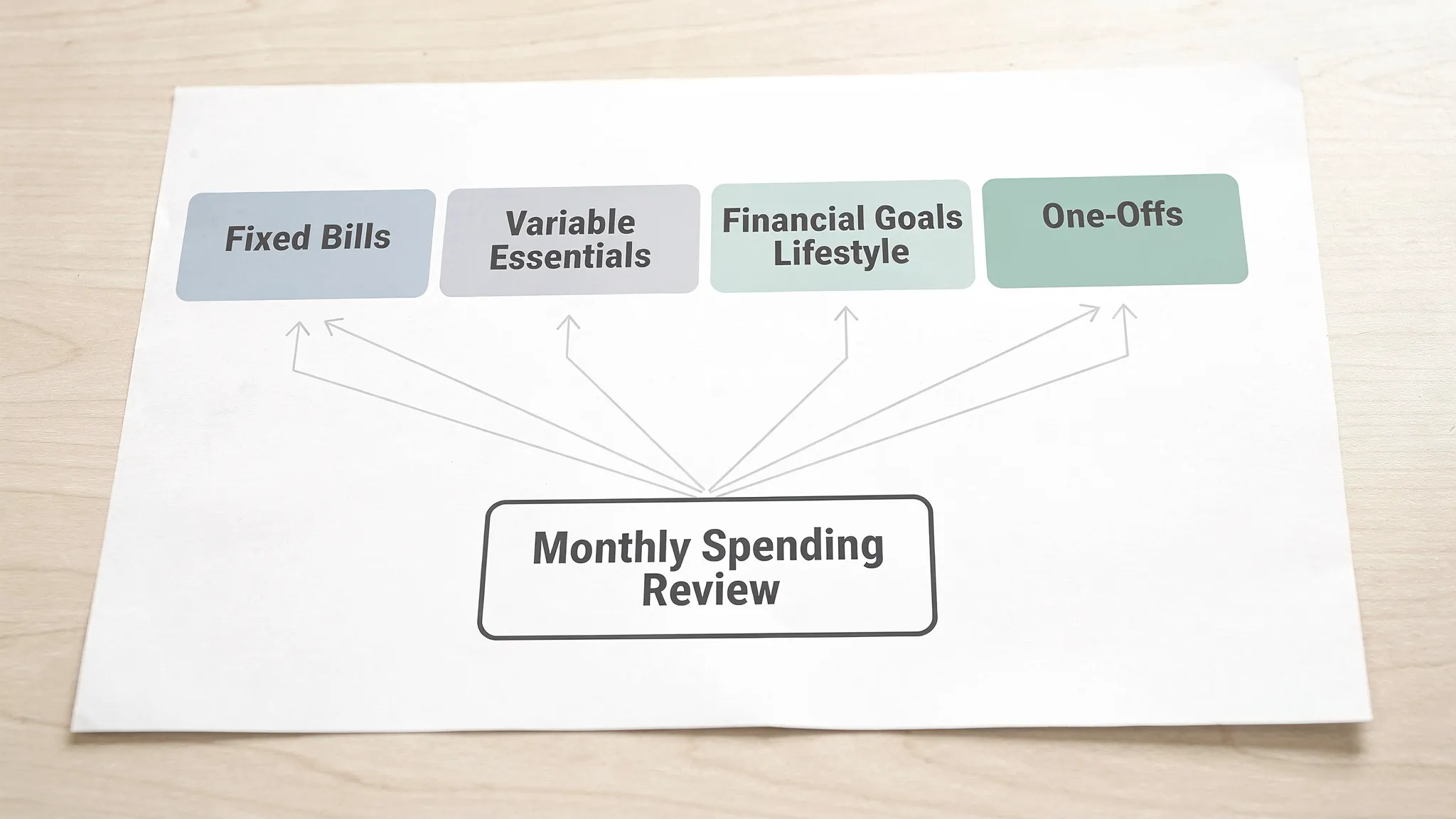
The clean list (copy, customize, done)
| Category group | Category | What goes here | Setup note |
|---|---|---|---|
| Income | Paychecks | Salary, wages | Keep reimbursements separate if you can |
| Income | Other income | Side gigs, interest, misc income | Helpful for irregular income tracking |
| Fixed Bills | Rent or Mortgage | Housing payment | Your biggest lever, track it cleanly |
| Fixed Bills | Utilities | Electric, gas, water, trash | Combine if you prefer simplicity |
| Fixed Bills | Internet and Phone | Home internet, mobile plans | Easy place to negotiate annually |
| Fixed Bills | Insurance | Auto, renters, home, life | Consider subcategories only if needed |
| Fixed Bills | Childcare | Daycare, after-school care | Keep it separate, it is usually huge |
| Fixed Bills | Debt minimums | Required loan payments | Separate from extra payoff (goals) |
| Variable Essentials | Groceries | Food, staple household items | Decide where Target and Costco belong |
| Variable Essentials | Transportation | Gas, transit, parking, tolls | Repairs can go here or “Car maintenance” |
| Variable Essentials | Medical | Copays, prescriptions, dental | Keep HSA contributions under “Goals” |
| Variable Essentials | Household | Cleaning supplies, small home needs | Optional if you prefer fewer categories |
| Lifestyle | Dining and Coffee | Restaurants, takeout, coffee | One of the easiest categories to cap |
| Lifestyle | Entertainment | Movies, events, games | If it’s fun, it lives here |
| Lifestyle | Shopping | Clothes, Amazon stuff, “just browsing” | Use labels for specific projects |
| Lifestyle | Personal care | Haircuts, skincare, gym add-ons | Separate from medical |
| Lifestyle | Travel | Flights, hotels, big trips | Use labels to track per trip |
| Subscriptions | Subscriptions | Streaming, apps, memberships | Audit quarterly, cancel ruthlessly |
| Financial Goals | Emergency fund | Savings contributions | Track contributions, not just balance |
| Financial Goals | Investing | 401(k), IRA, brokerage contributions | If it leaves your checking for investing, it’s here |
| Financial Goals | Extra debt payoff | Anything above minimums | This is where progress lives |
| True Expenses | Sinking funds | Annual bills, gifts, car repairs | Smooth the “why is this month cursed?” effect |
| Transfers (not spending) | Transfers | Moving money between accounts | Keep this out of spending totals |
This list works because it separates:
- Fixed bills vs variable essentials (what you must pay vs what you can shape)
- Lifestyle spending vs goals (today-you vs future-you)
- Subscriptions (because they multiply in the dark)
The punchline: If your categories don’t force tradeoffs, they’re just decoration.
The secret weapon: labels (so categories stay clean)
Categories should stay stable. Labels can be flexible.
Use labels for:
- Trips: “Italy 2026”
- Projects: “Kitchen refresh”
- Life events: “New baby setup”
- Experiments: “No-takeout month”
This prevents category inflation like:
- Travel - Italy
- Travel - Vegas
- Travel - Wedding
- Travel - I needed space
One category. Many labels. Less chaos.
If you use FIYR, this is where things get fun: you can keep your categories simple, then use custom labels (and automation rules) to slice spending into clean mini-stories without destroying your baseline budget.
Common “messy merchant” problems (and how to categorize them)
Amazon
Amazon is not a category. Amazon is a portal.
Two clean options:
- Simple mode: Everything goes to Shopping.
- Accurate mode: Split big orders (household essentials to Groceries/Household, kid stuff to Childcare or Shopping, etc.).
In FIYR, transaction rules can auto-categorize recurring Amazon charges (like Subscribe and Save) so you are not manually tagging toothpaste forever.
Target, Walmart, Costco
Pick one:
- Put them under Groceries to keep life simple.
- Split only when the purchase is meaningfully mixed.
The goal is consistency, not courtroom-level accounting.
Credit card payments
Do not categorize credit card payments as spending, that double-counts your expenses.
Treat them as transfers. Track spending at the transaction level, not when you pay the bill.
(If you want the full clean workflow, FIYR has a deeper guide on credit card budgeting without tracking chaos.)
Category setups by real life stage (pick your flavor)
If you’re new to budgeting: go minimalist
The best beginner system is the one you will still use in 60 days.
Keep:
- Housing
- Utilities
- Groceries
- Transportation
- Debt
- Subscriptions
- Dining
- Shopping
- Savings and Investing
Everything else can graduate later.
If you’re a FIRE person: add “future buckets,” not more lifestyle buckets
FIRE progress comes from tracking what matters:
- Savings rate
- Fixed-cost load (housing, cars, childcare)
- Subscription creep
- True expenses (annual costs that ambush you)
Instead of adding 12 lifestyle categories, add:
- Investing
- Emergency fund
- Sinking funds
Then watch the compounding do its thing.
Want the math motivation? Pair this with FIYR’s savings-rate content like Boost Your Savings Rate: A Shortcut to FIRE.
If you have a family: separate “kid gravity”
Kids have a special talent: turning money into noise.
Consider separate categories for:
- Childcare
- Kids activities
- School and supplies
Not because you want to feel pain, but because you want visibility.
If you’re a freelancer or self-employed: split business from personal
Do not mix business expenses into personal categories unless you love spreadsheets and regret.
Add a business group with:
- Business income
- Business tools and software
- Contractor expenses
- Marketing
- Business travel
- Taxes (set aside)
This makes cash flow clearer and tax time less like a horror movie.
The 30-minute setup sprint (so this actually happens)
You can set up a clean category system quickly, then refine it as reality shows up.
- Minute 1 to 10: Pull the last 30 to 60 days of transactions and identify your top 10 merchants.
- Minute 11 to 20: Create categories that cover 95% of your spending and income.
- Minute 21 to 30: Add rules for repeat transactions (payroll, rent, utilities, subscriptions) so your tracker stays clean.
Then adopt the maintenance rhythm:
- Weekly (10 minutes): Review uncategorized or weird charges.
- Monthly (20 minutes): Adjust caps, fund sinking funds, audit subscriptions.
FIYR is built for this kind of “set it up once, stay sane forever” approach, with customizable categories, automation rules, subscription tracking, and a clear view of your savings rate and net worth.
If your current system feels like a second job, you’re not behind. You’re just overcomplicating.
Frequently Asked Questions
What are the best budgeting categories to start with? Start with a simple set that covers your major spending drivers: Housing, Utilities, Groceries, Transportation, Debt Minimums, Subscriptions, Dining, Shopping, and Savings/Investing. You can add detail later, but you cannot maintain what you never review. How many categories should I have in my budget? Most people do best with 12 to 30 categories total. Fewer categories are easier to maintain. More categories can improve insight, but only if you will actually keep them clean. What category should subscriptions go under? Use a dedicated Subscriptions category. Subscription creep is real, and separating it makes it obvious when you are paying for eight services to watch the same three shows. How should I categorize Amazon purchases? Either categorize everything as Shopping for simplicity, or split large mixed orders into meaningful categories (Groceries, Household, Kids, etc.). Consistency matters more than perfection. Should credit card payments be categorized as expenses? No. Categorize the purchases as spending, and treat the credit card payment as a transfer. Otherwise you will double-count and your budget will look like it’s haunted.Build your clean category system (and keep it clean)
A good categories list is not a personality test. It’s infrastructure.
If you want a modern way to track spending, subscriptions, net worth, and your path to FIRE, without recreating your budget every month, FIYR is designed for exactly that. Set up clean categories, automate the repeat stuff with rules, label the fun chaos (trips, projects, life events), and let your financial picture stay sharp.
Get started with FIYR on the blog at Fiyr, and if you want to go deeper on keeping categories accurate over time, read Error-Proof Budgeting: How FIYR Keeps Spending Categories Clean.