Best Finance App With Savings Features: What to Look For
Most budgeting apps don’t help you save money.
They help you admire your spending in 4K.
That’s cute, but if your “insights” end with “wow, I guess DoorDash is my personality now,” you don’t have a savings tool. You have a digital confessional.
And the stakes are not small. A CNBC report notes roughly 60% of Americans are living paycheck to paycheck. Translation: one “surprise” bill away from financial parkour.
So if you’re searching for the best finance app with savings features, the bar is higher than “shows a pie chart.” You want an app that does three things:
- Shows you the truth (even when it’s rude)
- Builds automatic systems (so willpower isn’t the plan)
- Turns savings into a metric you can actually win
Here’s what to look for.
The problem: most people think they’re saving, but they’re just… not spending yet
Meet Alex.
Alex “saves” whatever is left at the end of the month. Which is like saying you’ll “start exercising” after you finish Netflix.
Alex has:
- A solid salary
- A decent 401(k) contribution
- A checking account that still hits $37.42 every month like clockwork
Then Alex opens a tracker and discovers the real villains:
- Subscriptions that multiplied like gremlins after midnight
- “Small” convenience spending that isn’t small when it happens 18 times
- Irregular bills (car insurance, annual renewals, medical stuff) showing up like jump scares
This is why savings features matter. Not “a savings account.” Not “round-ups.” Savings features that force clarity and create momentum.
Because the opposite of saving isn’t spending.
It’s leaking.
What “savings features” actually means (the Savings Stack)
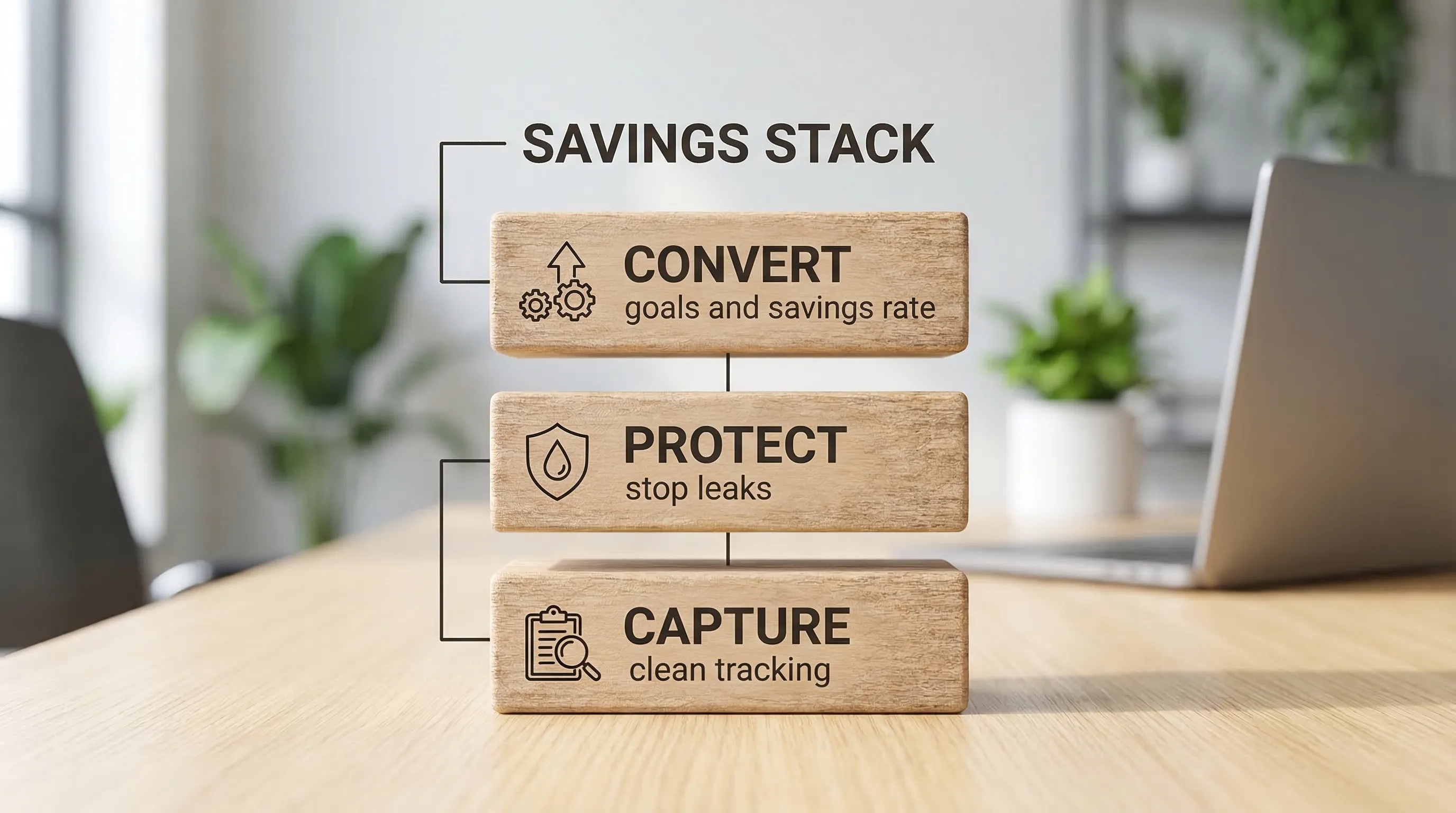
A real savings-focused finance app doesn’t just track money. It runs a system. I like to think of it as a three-layer stack.
Layer 1: Capture (find the money)
You can’t save what you can’t see.
A savings-capable app should make it easy to answer:
- What did I spend last month, by decision category (not vague junk like “Shopping”)?
- What’s recurring vs. one-time?
- What’s my “safe to spend” number right now?
This is where clean categorization, custom categories, and reliable transaction imports do the heavy lifting. If the data is messy, your savings plan becomes vibes-based.
If you want the blueprint for getting this right without turning your life into an accounting internship, FIYR’s guide on automatic expense tracking is basically the “set it once, stop suffering” approach.
Quotable truth: If your money tracking requires daily discipline, it will fail the first time you have a life.
Layer 2: Protect (stop the leaks)
Savings is less about heroically cutting lattes and more about eliminating the dumb stuff you forgot you were paying for.
The best savings features protect you from:
- Subscription creep
- Category drift (everything becomes “Misc” and you learn nothing)
- True expenses (non-monthly costs) blowing up your month
This layer is where subscription tracking, transaction rules, and “Needs Review” inbox-style workflows shine.
If subscription spending is your soft spot (join the club, we have branded hoodies), you’ll like the ruthless practicality of Reduce Subscriptions in 2026: A 30-Minute Cleanup Plan.
Quotable truth: A budget without leak control is just an optimistic rumor.
Layer 3: Convert (turn saved dollars into outcomes)
Saving money feels pointless when it has no narrative.
The best apps convert “unused money” into:
- Goal progress (emergency fund, debt payoff, house down payment)
- Higher savings rate
- Lower stress
- A clearer timeline to FI (financial independence)
This is where savings rate calculators, goal tracking, and net worth tracking matter. You’re not just saving. You’re buying future options.
Quotable truth: Savings isn’t deprivation. It’s purchasing power for Future You.
The non-negotiables: what to look for in the best finance app with savings features
You don’t need 900 features. You need the right few, built for real humans who sometimes forget their own birthdays.
1) A real savings rate, not motivational math
A serious app should help you calculate savings rate from actual inflows and outflows.
Why it matters: savings rate is the closest thing personal finance has to a scoreboard. It’s also one of the fastest levers for changing your financial trajectory.
What to look for:
- Clear income tracking (including irregular income if that’s you)
- Clean expense tracking (no double-counted transfers)
- A savings rate view that updates as your real data updates
If you want the deeper why and the “how do I measure this without lying to myself” version, read Savings Rate Calculator: The One Metric That Matters.
Red flag: if the app can’t explain what it counts as “savings,” it’s not measuring. It’s guessing.
2) Goal tracking that doesn’t require a spreadsheet side quest
Savings without goals turns into random hoarding. Goals without tracking turns into inspirational Pinterest boards.
Look for:
- Goal tracking that’s tied to your real cash flow
- A “safe to spend” style number that keeps you from accidentally spending your rent because your checking balance looked “fine”
This matters even more if you’re building an emergency fund. The Federal Reserve’s annual Economic Well-Being of U.S. Households report has consistently shown many households would struggle to cover a modest emergency expense (for example, a $400 surprise) with cash or equivalents in the moment. Start here: Federal Reserve, Economic Well-Being of U.S. Households.
Yes, $400. Not “new roof” money. “Car battery and a bad attitude” money.
3) Subscription tracking that’s connected to your savings plan
A subscription list is nice.
A subscription list that ties to budgets, categories, and savings goals is powerful.
Your app should make it easy to:
- Identify recurring charges
- Group them (streaming, software, fitness, “I forgot I signed up for this”)
- See the monthly total
- Enforce a cap
If you want a comparison of tools specifically for this, FIYR also has a solid roundup: Best Apps to Manage Subscription Renewals.
One-liner: Subscriptions are the modern tax you pay for forgetting to check your statements.
4) “True expense” support (because real life is not monthly)
The biggest reason people “can’t save” is that their budget pretends their annual bills don’t exist.
A savings-friendly app should support sinking funds (or at least make them easy to run) so you can monthly-ize the unavoidable.
Examples:
- Car insurance every 6 months
- Holiday travel
- Annual renewals
- Back-to-school, back-to-work, back-to-reality
If you’ve never used sinking funds, you’re about to feel like you discovered fire. Start with Sinking Funds Guide: Stop Getting Blindsided by Bills.
One-liner: If a bill is predictable, it’s not an emergency. Your system just ignored it.
5) Automation rules (so your categories don’t devolve into chaos)
Savings features fail when the underlying data is dirty.
The best apps let you create rules like:
- Always categorize this merchant as Groceries
- Treat credit card payments as transfers
- Tag recurring subscriptions consistently
This is less “nice feature” and more “prevents your budget from lying to you.”
6) Net worth tracking that includes liabilities (because debt is not a vibe)
If an app is savings-focused but ignores liabilities, it’s like a fitness tracker that only counts steps when you’re walking downhill.
Look for net worth tracking that includes:
- Cash
- Investments
- Debts (credit cards, loans, mortgage)
Savings is partly cash flow. Wealth is net worth. You want both.
7) Exports and transparency (because you should own your data)
Savings is a long game. You might switch apps. You might want to run your own analysis. Or you might just want the comfort of knowing your data isn’t trapped in a walled garden.
Look for:
- Export options
- Clear category control
- Reasonable data portability
One-liner: Your finances are not a social network. You should be able to leave.
The “Savings Stress Test”: how to evaluate an app in 30 minutes
Don’t spend weeks debating apps like you’re choosing a tattoo.
Do a quick trial with a harsh test. You’re trying to answer one question: Will this app increase my savings rate with less effort than my current system?
Here’s a simple stress test.
Step 1: Import and sanity-check your last 30 days
You want enough data to see reality, but not so much you drown in it.
Make sure:
- Income shows up correctly
- Transfers are not counted as spending
- Big recurring bills are categorized consistently
Step 2: Create 8 to 12 “decision categories”
Not 47 categories. You are not building the Library of Congress.
Your categories should help you make decisions, like:
- Groceries
- Restaurants and convenience food
- Transportation
- Subscriptions
- Shopping (split if needed)
- Bills
- Debt payments
- Savings and investing
Step 3: Set one savings goal and one leak hunt
Pick:
- One goal (Emergency Fund, Debt Paydown, Down Payment)
- One leak category (Subscriptions or Convenience Spending are classic suspects)
Then check whether the app makes it easy to:
- See the current month progress
- Enforce a cap
- Identify what to cut
Step 4: Add 5 automation rules
If the app can’t automate at least the obvious stuff, you’ll eventually stop using it.
Start with rules for:
- Your paycheck
- Your rent or mortgage
- Your top grocery store
- Your top “everything” merchant (hello Amazon)
- One subscription merchant
Step 5: Find the “moment of truth” screen
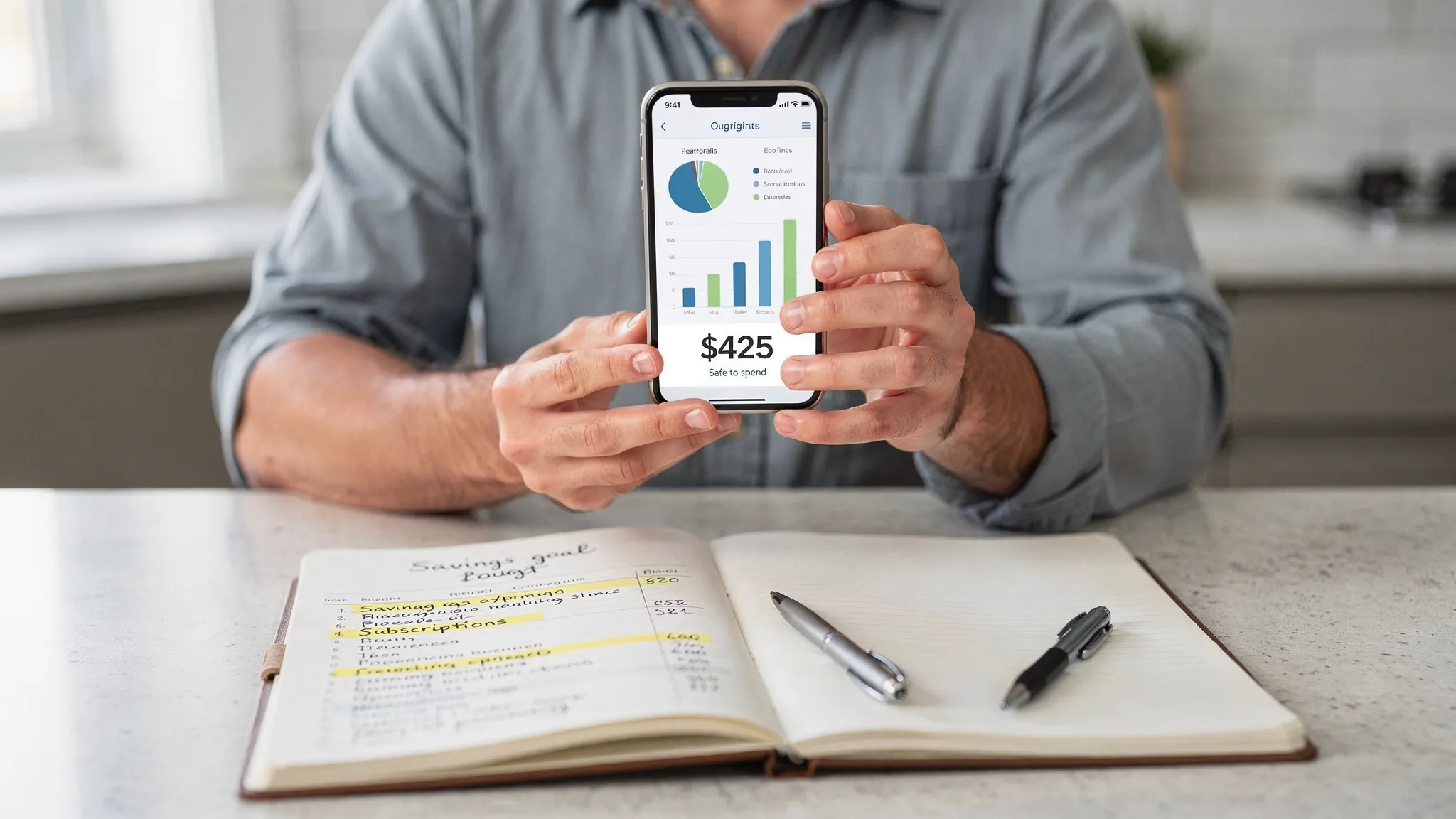
The best savings apps have a screen that answers:
- “Can I spend $X today without being stupid?”
It might be a safe-to-spend number, a budget remaining view, or a goals dashboard.
If you can’t find the moment-of-truth screen, the app is probably built for reporting, not behavior change.
Where FIYR fits (especially if you’re a Mint refugee with standards)
If you’re coming from Mint, you probably want something modern that still respects the basics: clean tracking, flexible budgeting, and visibility into the stuff that actually moves the needle.
FIYR is built around the savings stack:
- Capture: track income and expenses with customizable categories and category groups, so you can see what’s real (not “Misc”).
- Protect: use automatic transaction rules and subscription tracking to stop recurring leaks and keep data clean.
- Convert: track net worth, savings rate, goals, and a FIRE date projection, so saving turns into a timeline, not a vague intention.
The key point is not “use this app because it exists.” It’s that the right tool makes the right behavior easier.
One-liner: The best finance app doesn’t judge you. It just makes it harder to lie to yourself.
The final filter: the best savings app is the one you’ll still use in 90 days
Here’s the part nobody talks about: savings features don’t work if they add friction.
You want an app that makes this routine realistic:
- A quick weekly check-in (10 to 15 minutes)
- A monthly reset (30 minutes)
- A quarterly cleanup (subscriptions, rules, category hygiene)
If an app helps you do that without turning money into your second job, it’s a keeper.
Because the real flex isn’t having a perfect budget.
It’s having a system that keeps working when your week goes off the rails.
Quotable ending: You don’t need more discipline. You need fewer decisions and better defaults.