 FIYR
FIYR Automated Budgeting: How Rules Save Time and Keep Your Spending Accurate
Most budgets fail for a simple reason, the humans in charge get tired. You swear you will tag every transaction, then a busy week hits, and suddenly your grocery total is lying to you like a politician in an election year. The result is predictable, people feel broke and confused. Surveys show 60 percent of Americans still live paycheck to paycheck, and financial stress is now the default setting for most households. You do not fix that with more willpower, you fix it with rules that do the grunt work for you.
Here is the trick nobody teaches in school. Modern budgeting is not about spreadsheets or vibes, it is about automation that cleans your data the moment it hits your ledger. That is what rules-based budgeting does, it replaces dozens of micro-decisions with a repeatable system that never gets bored, distracted, or hangry.
The story: Amazon ate my grocery budget
Meet Lina, a freelancer with two credit cards, one business account, and an Amazon cart that looks like a garage sale. At the end of each month she guesses she spent 500 dollars on groceries. Her budget says 750 dollars. Why the gap? Amazon. Half the orders are pantry staples, the other half are chargers, shampoo, and a random dog costume. Because everything lands under “Amazon,” her category totals are chaos. She is not overspending on food, she is under-labeling her life.
Rules fix this. Build a few automations that recognize merchants, keywords, and amounts, then your budget stops gaslighting you. You get the truth fast enough to do something about it.
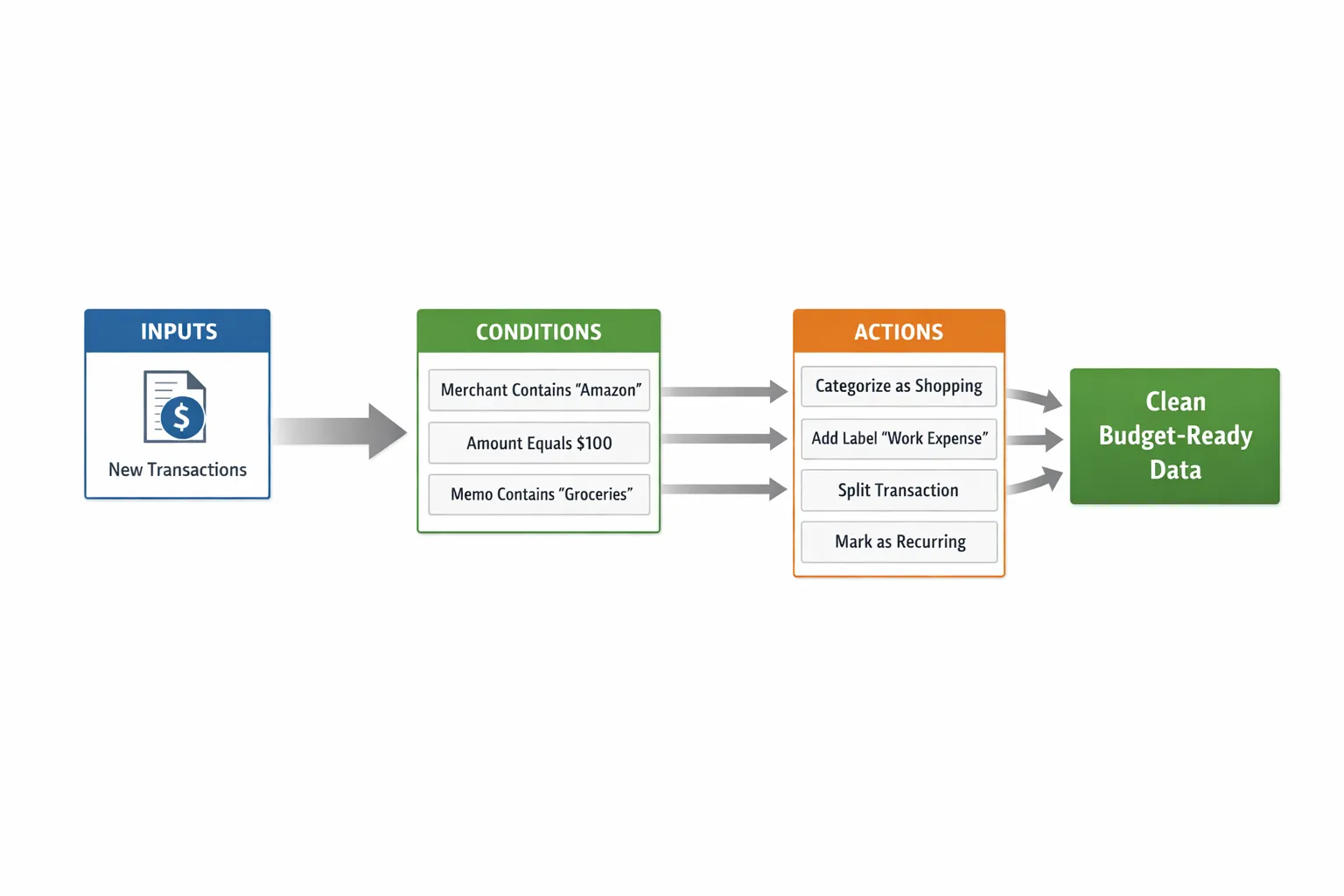
Rules-based budgeting, explained like you are busy
A budgeting rule is an if-then instruction that runs when a transaction arrives.
- If merchant contains Starbucks, then categorize to Food and Drink, add label Coffee.
- If memo contains “Payment Thank you”, then mark as Transfer, exclude from budget.
- If amount equals 59.99 and merchant contains Spotify, then categorize to Subscriptions, mark as recurring.
That is it. Write a rule once, get time back every day. The goal is 90 to 95 percent of transactions auto-categorized on import. Your job becomes review, not rescue.
The core rule types you need
Here are the workhorse rules that keep spending accurate and budgets consistent.
| Rule type | What it checks | Example condition | Recommended action | Why it helps |
|---|---|---|---|---|
| Merchant | Transaction merchant name | Merchant contains “Shell” | Category Transportation, label Gas | Instant accuracy for frequent vendors |
| Keyword in memo | Text in description or note | Memo contains “UBER TRIP” | Category Rideshare, label Travel | Catches platforms with noisy merchant fields |
| Amount exact or range | Exact price or band | Amount equals 14.99 | Category Subscriptions, mark recurring | Nails fixed-price subs and fees |
| Refund detector | Negative amount plus merchant | Amount less than 0 and Merchant contains “Target” | Category Refunds, link to prior purchase label | Keeps category totals honest after returns |
| Transfer and payments | Bank-specific phrasing | Memo contains “Payment Thank you” | Mark Transfer, exclude from budget | Prevents double counting on card payments |
| P2P transfers | Counterparty keywords | Merchant contains “Venmo” or “Zelle” | Category Transfers or Reimbursements | Stops peer-to-peer chaos from posing as spending |
| Account-specific | Source or destination account | From Cash account | Category ATM Withdrawals, label Cash | Clarifies cash leakage |
| Splitter for rollups | Big-box aggregators | Merchant contains “Amazon” | Split by keyword rules, label “Household” and “Groceries” | Turns a blob into real categories |
The principle is simple, specificity sits on top, catch-alls sit at the bottom. Put the sharpest knives first.
Why automation keeps budgets consistent
Manual tagging introduces drift. This month you tag Chewy to Pet Care, next month you lazily pop it into Miscellaneous. Automation enforces consistency by applying identical logic across months. That means:
- Your category caps are comparable month to month, so you can actually see trends.
- Your safe-to-spend number does not swing because of miscategorized transfers or refunds.
- Your subscription totals are stable, which makes it obvious which service you can cancel without tears.
- Your savings rate calculation stops getting sandbagged by accounting errors.
Consistency is what makes budgets useful. Accuracy is what makes them trusted. Rules give you both.
The 90 minute Rules Sprint
Block 90 minutes, brew coffee, and set up an automated budgeting backbone that will work for years.
- Export or view the last 90 days of transactions, highlight your top 15 merchants and any repeating charges. Note P2P flows and card payments.
- Create 10 merchant rules for your top spenders, for example Target, Costco, Uber, DoorDash, Shell, Starbucks, childcare, utilities. Add labels like Household, Dining Out, or Commute.
- Add 5 subscription rules using amount equals or memo keywords, for example “Spotify 9.99”, “Comcast 79.99”, “iCloud 2.99”. Mark them as recurring and label Subscription.
- Write 3 protection rules that save your budget from fraud-like math: if memo contains “Payment Thank you”, mark Transfer and exclude from budget. If memo contains “Credit”, categorize as Refunds. If memo contains “Interest Charge” or “Annual Fee”, put in Fees.
- Build a P2P rule, if merchant contains Venmo, Cash App, or Zelle, categorize as Transfers or Reimbursements by default. When it is a true expense, label it with the real category once and consider a keyword exception rule with the person’s name.
- Create 2 splitter patterns for rollups, for example Amazon or Costco. Use memo keywords, if memo contains “Whole Foods” then category Groceries, if memo contains “Marketplace” and “Electronics”, category Electronics. Split common combos once, reuse forever.
- Add 2 income hygiene rules, if memo contains “Payroll” or “Direct Deposit”, mark as Income and label Employer. If memo contains “Reimbursement” or “Expense Report”, categorize as Reimbursements, exclude from income calcs.
- Reprocess last 30 days to apply rules, scan exceptions, and add 3 more sniper rules for weird repeats you missed.
- Schedule a 15 minute weekly review to handle the remaining 5 to 10 percent and add new rules in the moment.
The goal is reliability, not perfection. If it takes willpower, it will fail. If it takes rules, it scales.
Examples you can copy today
- Merchant rule, if Merchant contains “Shell”, then Category Transportation, label Gas.
- Keyword rule, if Memo contains “UBER TRIP”, then Category Rideshare, label Work.
- Amount rule, if Amount equals 14.99 and Merchant contains “HBO”, then Category Subscriptions, mark recurring.
- Transfer rule, if Memo contains “Payment Thank you”, then Transfer, exclude from budget and reports.
- Refund rule, if Amount less than 0 and Merchant contains “Target”, then Category Refunds, label Target, link to prior month purchase label.
- P2P rule, if Merchant contains “Venmo”, then Category Reimbursements by default, override to Dining Out only when you add the keyword “dinner” in the note.
- Splitter rule, if Merchant contains “Amazon” and Memo contains “Whole Foods”, then Groceries. Otherwise label Amazon General and review high tickets for a one-time split.
- Travel tagger, if Memo contains “Delta” or “Hotel”, then add label “New York Trip 2025” in addition to Category Travel. This gives you a full trip cost without wrecking your monthly categories.
Here is the part nobody talks about, naming matters. Use clear names like Merchant Shell to Transportation, not Rule 42. Future you will thank present you.
Ordering, testing, and guardrails
Rules engines typically process top to bottom and stop at the first match. That means order is strategy.
- Put specific rules first, for example a Spotify 9.99 amount rule sits above a general Subscriptions keyword rule.
- Leave catch-alls last, for example Merchant contains Amazon to label Amazon General, because dozens of specific Amazon split rules should run before it.
- Test new rules on the last 30 days only, check 10 sample transactions, then expand.
- Keep a quarantine list of tricky merchants that often carry multiple categories, for example Amazon, Walmart, Costco. Review them weekly.
A good rule is specific, testable, traceable. If you cannot explain why it fired, it is too broad.
The 12-rule starter kit by budget category
- Groceries, merchant contains “Trader Joe’s”, “Kroger”, “Whole Foods” then category Groceries.
- Dining out, merchant contains “Starbucks”, “McDonald’s”, “DoorDash”, “Uber Eats” then Dining Out.
- Transportation, merchant contains “Shell”, “Exxon”, “Lyft” then Transportation or Rideshare with labels Commute or Travel.
- Utilities, merchant contains your local utility names, then Utilities with a Recurring label.
- Subscriptions, amount equals your known plans, then Subscriptions and Recurring.
- Fees and interest, memo contains “Interest Charge” or “Late Fee”, then Fees.
- Credit card payments, memo contains “Payment Thank you” or “Autopay”, then Transfer and Excluded.
- Income, memo contains “Payroll” or “Deposit”, then Income with Employer label.
- Reimbursements, memo contains “Reimbursement” or “Exp Reim”, then Reimbursements, Excluded.
- P2P transfers, merchant contains “Venmo”, “Cash App”, “Zelle”, then Transfers by default.
- Amazon and big-box splitters, merchant contains “Amazon” or “Walmart”, with keyword sub-rules for Groceries, Household, Electronics.
- Travel grouping, memo contains “Delta”, “Southwest”, “Hilton”, “Airbnb”, then label the trip name while categorizing to Travel.
Set these once, breathe easier for months.
Catch problems before they wreck your numbers
Common failure modes and how to prevent them:
- The Amazon sinkhole, fix with a general Amazon label rule plus 2 to 3 common keyword splitters. Review only high-ticket items.
- Refund illusions, many budgets overstate spending because returns are sitting in a Refund category that is not linked to the original. Use a Refund category and label to tie it back, or net it against the original in your notes.
- Double counting payments, card payments should be Transfers and excluded from spending. One rule saves you from the most common beginner error.
- P2P shape-shifting, Venmo is either a transfer or a dinner bill. Default to Transfers and use keyword exceptions like “dinner” or the friend’s name when it is truly an expense.
- Miscellaneous sprawl, if a category exists only because you were tired, collapse it. Add a rule to push those transactions into a real category next time.
Your budget is not broken, your system is. Fix the plumbing, the water gets clear.
How automation impacts savings rate and FIRE
Accurate categories do more than tidy your chart. They sharpen the two numbers that drive financial independence.
- Savings rate, your true monthly savings divided by net income. Clean rules prevent transfers and refunds from distorting this.
- Runway, your safe-to-spend after fixed expenses. Automation gives you the truth early in the month so you course correct before the 28th.
When your data is honest, your decisions get braver. That is how people shave years off their retirement timeline.
Measure what matters, your Automation Score
Track these three simple metrics each month and watch them climb.
- Automation rate, auto-categorized transactions divided by total transactions.
- Correction rate, number of manual recats divided by total transactions. Lower is better.
- Subscription coverage, subscriptions with rules divided by total subscriptions found.
Aim for 90 percent automation, less than 5 percent corrections, and 100 percent coverage on subscriptions you intend to keep. Small improvements here compound everywhere else.
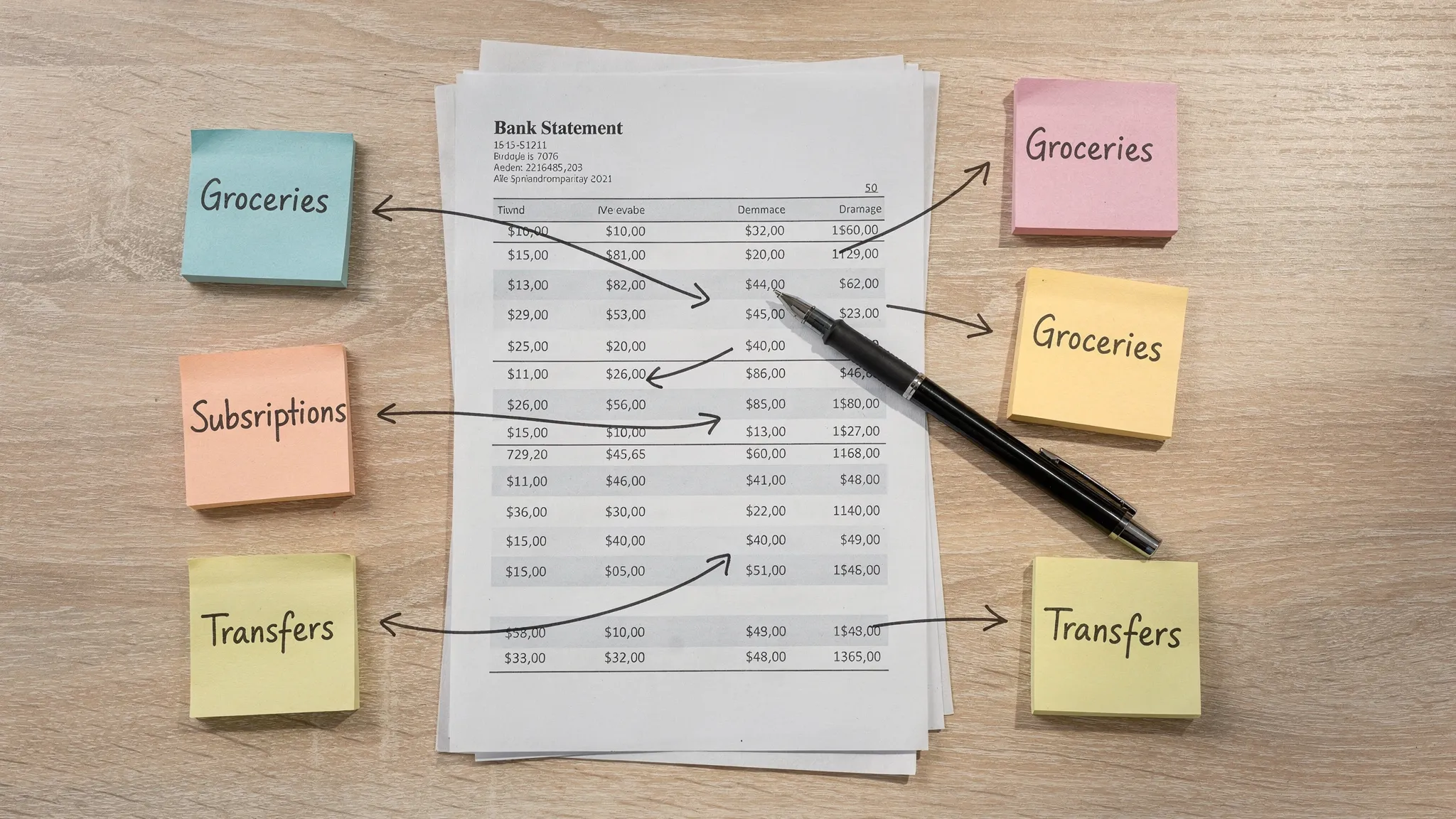
A quick reality check, the data
The backdrop is not pretty, but it is motivating. In 2023 coverage, 60 percent of Americans reported living paycheck to paycheck. Most do not have the cushion they want, and many underestimate recurring bills until they add them up. Translation, the margin for error is small, and manual budgeting burns that margin on busy weeks. Automation gives it back.
Source, CNBC reporting on paycheck to paycheck trends.
Mini-case study, from manual mayhem to automatic clarity
Tasha is a marketing manager with two kids, about 300 transactions a month across accounts. Before rules, she was spending 30 minutes every few days trying to fix categories, and her Miscellaneous category blended kid snacks with school fees and household supplies. After a one hour rules sprint:
- 92 percent of her transactions auto-tagged on import.
- Miscellaneous spending dropped to under 30 dollars because those transactions found real homes.
- Subscription total popped to a clean 248 dollars a month, three services got cut, and that money went to the emergency fund.
Same income, better system. Her budget finally matched reality.
If you are moving from Mint or spreadsheets
The fastest wins come from rule templates and labels. Recreate your top 15 merchant rules and your standard subscriptions on day one. Use labels for cross-cutting views like Trips or House Projects. Keep the category list short so rules stay clean and long term trends are obvious.
Want more tactical setup help, see our guides on error-proof categories, irregular income, and overspending prevention for patterns you can copy in under an hour:
- Error-Proof Budgeting, How FIYR Keeps Spending Categories Clean
- Budgeting With Irregular Income, A Practical System That Actually Works
- How to Prevent Overspending, Practical, Real-World Tips That Work
- Mint alternatives compared
Light tie-in, how FIYR fits
Oh, and if you want less friction, FIYR bakes these ideas in. You get custom categories and groups, automatic transaction rules, labels for cross-cutting views like “New York Trip 2025”, subscription tracking, a safe-to-spend view, savings rate, and a FIRE date estimate that updates as your data cleans up. Use any tool you like, just make sure it supports rules, labels, and recurring charge detection. Otherwise you will be back to square one with prettier charts.
The bottom line
Automated budgeting is not about being perfect with money, it is about being consistent with reality. Write rules once, remove 90 percent of the daily friction, and make your budget a source of confidence instead of confusion.
You do not need more discipline. You need a system that never gets tired.