What a Customizable Finance App Should Actually Let You Do
If your finance app is “customizable” but still forces you to live inside its tiny little default categories, it’s not customizable. It’s cosplay.
Here’s the uncomfortable truth: most people don’t overspend because they’re reckless, they overspend because their numbers are lying to them. You think you spent $400 on “Food & Dining.” Cute. That bucket includes groceries, date night, a panic DoorDash, and the airport sandwich that cost the same as a mid-tier ETF.
Meanwhile, the real world is out here doing real-world things. According to CNBC, about 60% of Americans are still living paycheck to paycheck, and financial stress is basically a national hobby. (source) If your app can’t tell you what’s actually happening, it’s not helping. It’s narrating.
So let’s get specific.
What “customizable” should mean (and what it usually means)
Most apps treat customization like sprinkles.
- “You can rename categories!”
- “You can pick an icon!”
- “You can choose between teal and slightly different teal!”
That’s not customization. That’s interior design.
A customizable finance app should let you do two big things:
- Define your reality (how your money life is structured)
- Automate your reality (so you don’t have to babysit it)
Because if you have to manually clean transactions forever, you did not buy a finance app. You adopted a new part-time job.
And then things get interesting.
The story everyone learns the hard way: “Why is my budget always wrong?”
Meet Sarah.
Sarah is smart, employed, generally responsible, and somehow always surprised by her credit card balance. She uses a popular app with “smart” categories.
The app tells her she’s doing fine. Then her monthly review hits:
- Amazon: $612 (categorized as “Shopping”, obviously)
- Subscriptions: unknown, because half of them are billed through Apple
- A “Transfer” that is actually a credit card payment that got counted as spending (love that)
Sarah’s conclusion: “I’m bad with money.”
Reality: her data is bad, her categories are fuzzy, and her app is not letting her fix the underlying system.
Your budget isn’t broken. Your permissions are.
The 9 things a customizable finance app should actually let you do
This is the practical checklist. Not the marketing fluff.
1) Build categories that match decisions, not vibes
The point of categories isn’t organization, it’s action.
A customizable app should let you:
- Create custom categories and category groups that fit your life
- Keep categories mutually exclusive (so you stop double-counting reality)
- Rename and restructure without your reports exploding
Example: “Food” is not a decision. “Groceries”, “Convenience Food”, and “Restaurants” are.
If your app forces you into generic defaults, it’s not tracking your spending. It’s hiding it.
If you want to go deeper on this, FIYR has a strong breakdown on why custom categories are the difference between insight and noise: Custom Categories Importance.
2) Add context (labels/notes) so life events don’t wreck your charts
Real life is lumpy.
Trips, weddings, moving, a new baby, a new side hustle, the “I needed a new laptop” week. Your app should let you tag reality with context like:
- “New York Trip 2025”
- “Kitchen Remodel”
- “Job Search Month”
That’s how you keep your monthly spending trend from looking like a crypto chart.
3) Create transaction rules that actually stick
Manual categorization is where good intentions go to die.
A customizable app should let you create automatic transaction rules like:
- If merchant contains “Spotify”, categorize as Subscriptions
- If merchant is “Shell” and amount is under $25, categorize as Transportation (or whatever your system is)
- If description includes “Refund”, handle it correctly
Rules are not a nice-to-have. Rules are how you keep the truth stable.
FIYR leans hard into this with automatic transaction rules, and if you want the nerdy version (compliment), read: Automated Budgeting: How Rules Save Time.
4) Fix the classic “fake spending” problem (transfers and credit card payments)
A finance app should not treat moving money between your own accounts as spending.
Sounds obvious. Yet this mistake is responsible for a shocking amount of “I can’t stick to my budget” despair.
A customizable app should let you:
- Mark transfers cleanly
- Avoid double-counting credit card payments
- Exclude internal movement from spending reports
If it can’t, your app is a professional gaslighter.
5) Handle split transactions without making you want to throw your phone
The modern purchase is messy.
One Target receipt can include:
- groceries
- diapers
- a throw pillow you absolutely did not need
Your app should let you split one transaction into multiple categories quickly. Otherwise, you get lazy, everything becomes “Shopping”, and your data turns into soup.
6) Track subscriptions like a hawk, not a historian
Subscriptions are the silent assassins of cash flow. They don’t feel expensive because they’re not expensive today, they’re expensive forever.
A customizable app should let you:
- Detect recurring charges (and keep them visible)
- Group them meaningfully (streaming vs software vs memberships)
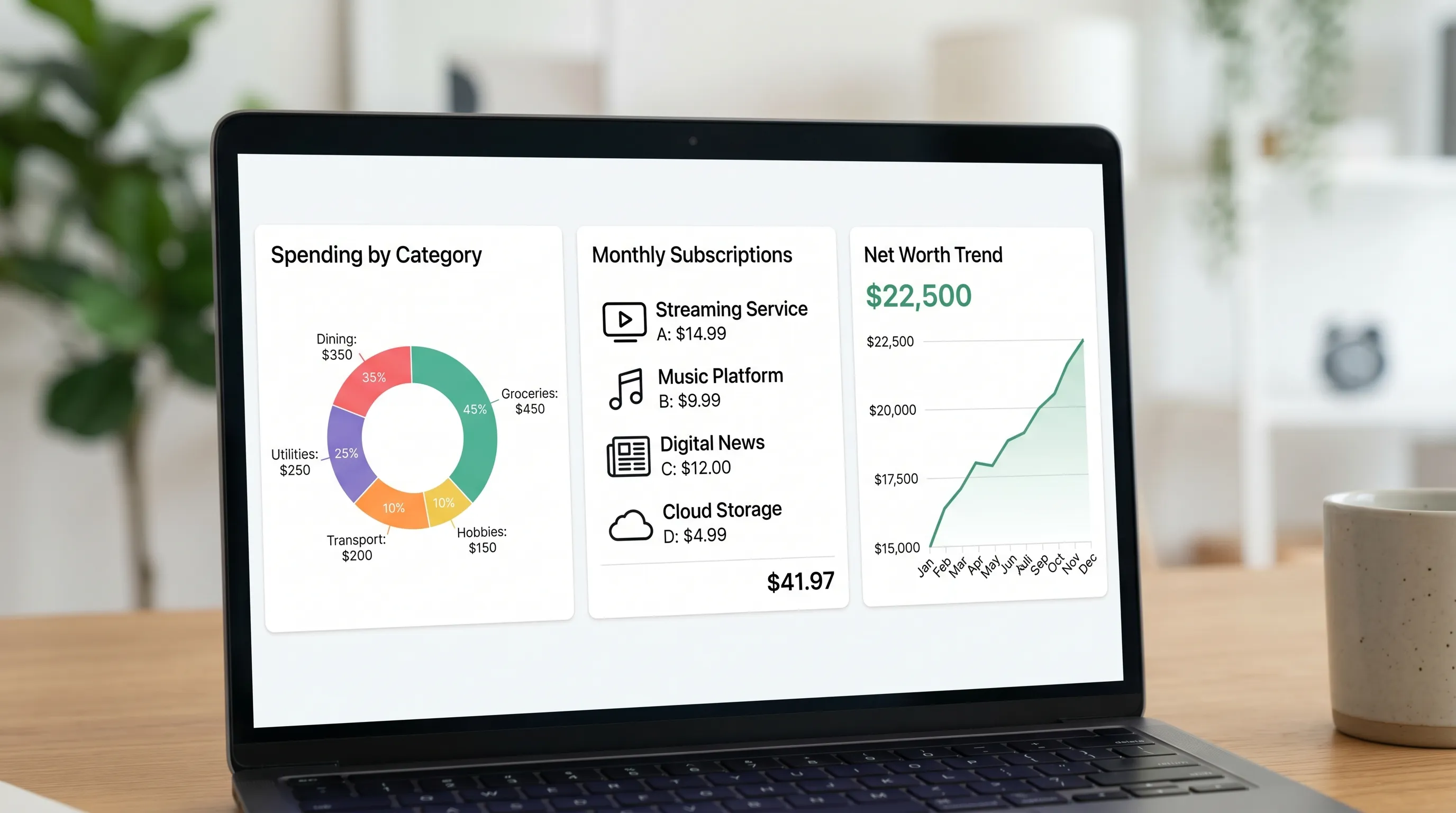
- See the total monthly subscription load
Because “it’s only $12.99” is how you end up paying $97.43 a month for things you don’t use.
FIYR includes subscription tracking, which is key if you’re subscription-heavy and trying to keep your budget from death-by-a-thousand-free-trials.
7) Budget dynamically, not like it’s 2008
A static budget is a cute idea until your car decides to develop a personality.
A customizable app should let you:
- Use flexible budgeting (caps that can bend)
- See a clear safe-to-spend signal (what’s actually available after commitments)
- Set guardrails for problem categories without micromanaging everything
This is where “budgeting” becomes less about shame and more about steering.
8) Track net worth like an adult (assets and liabilities, not just checking accounts)
If your app only tracks spending, you’re missing the plot.
A customizable finance app should let you track:
- assets (cash, investments, property, other stuff with real value)
- liabilities (credit cards, student loans, mortgage, BNPL)
Net worth tracking is the scoreboard. Spending is the play-by-play.
And yes, it should be customizable enough to handle the weird stuff (like a car loan that gets sold twice, or a manual asset you update quarterly).
9) Give you FIRE-relevant metrics, not just pretty charts
If you care about Financial Independence, you don’t just want to know where money went. You want to know what it means.
A customizable app should help you see:
- savings rate (consistently, with your chosen definition)
- trends over time
- progress toward long-term goals
- a plausible timeline (hello, FIRE date)
FIYR includes a FIRE date calculator based on real user data, plus net worth and savings rate tracking, so you can connect daily behavior to long-term freedom.
Freedom is built in boring increments. Your app should respect that.
The red-flag table: what you should demand (and what to side-eye)
Use this like a bouncer’s checklist.
| Capability | Why it matters | Red flag if missing |
|---|---|---|
| Custom categories + groups | Turns transactions into decisions | You’re stuck with “Shopping” and “Misc” forever |
| Labels/notes | Keeps life events from distorting trends | Every trip looks like you “suddenly overspent” |
| Automatic transaction rules | Removes manual busywork and errors | You’re categorizing the same merchant every week |
| Transfer handling | Prevents fake spending | Credit card payments show as expenses |
| Split transactions | Reflects real purchases accurately | One receipt ruins three categories |
| Subscription tracking | Makes recurring spend visible | You only notice subscriptions when broke |
| Dynamic budgets + safe-to-spend | Builds a system that survives reality | Budget becomes irrelevant by day 10 |
| Net worth tracking (assets + liabilities) | Shows actual financial progress | You’re “saving” while debt quietly grows |
| Export/data portability | Prevents lock-in and supports audits | You can’t take your data with you |
Customization without portability is just captivity with better UX.
The “45-minute torture test” for any finance app
You don’t need a 30-day trial to know if an app is real. You need 45 minutes and a little honesty.
Step 1: Import or connect, then pull 30 to 60 days of transactions
Your goal is not perfection. Your goal is to see whether the app lets you clean reality without pain.
Step 2: Create 8 to 12 categories you would actually use
Not what the app suggests. What you need.
If you’re stuck at “Food & Dining”, you’re not running a system, you’re reading a horoscope.
Step 3: Build 5 rules for your top merchants
Start with the repeat offenders:
- Groceries
- Gas
- Amazon
- Your main coffee spot
- Your main subscription merchant
If the rules are clunky or unreliable, the app will never scale with your life.
Step 4: Run a subscription sweep
Find every recurring charge. Then ask one brutal question: “Would I re-buy this today?”
If not, it’s not a subscription, it’s a leak.
Step 5: Verify one month of totals against your bank
This is where many apps get exposed.
If balances and totals don’t reconcile (or you can’t figure out why), you’re not tracking money. You’re collecting vibes.
Customization isn’t just about spending, it’s about earning
Most people attack expenses because it’s immediate. Fair.
But if you want financial independence, income matters too. Sometimes the fastest path to a higher savings rate is not another cancellation spree, it’s a higher paycheck.
If you want structured learning that can actually move your earning power, look at live, expert-led upskilling programs like Academia Europea UpSkilling, which combines guided paths with access to LinkedIn Learning’s course library. Your budget can only cut so far, your skills can compound.
Spend less, yes. Also: earn more, intelligently.
Where FIYR fits (without the hard sell)
FIYR is built for people who want control, not a lecture.
It’s a modern personal finance platform that combines:
- spending and income tracking
- flexible budgeting
- custom categories and category groups
- automatic transaction rules
- subscription tracking
- net worth tracking (assets and liabilities)
- savings rate tracking and FIRE-focused insights (including a FIRE date calculator)
So if you’re coming from Mint, Monarch Money, Copilot, Rocket Money, or Quicken and thinking, “I just want the truth, faster,” FIYR is designed for that.
If you want a practical setup sprint, this guide pairs well with today’s rant: Custom Budget Setup in 30 Minutes.
Frequently Asked Questions
What’s the difference between a budgeting app and a customizable finance app? A budgeting app helps you set limits. A customizable finance app lets you define categories, rules, context labels, and reports so the budget reflects your real life (and stays accurate).
How many custom categories should I create? Usually 8 to 12 core categories is plenty, then add a few high-impact custom ones (like Amazon Needs vs Amazon Wants). If you need 47 categories, you’re building a taxonomy, not a budget.
Do I really need transaction rules? Yes, unless you love recurring manual work. Rules keep your data clean, which keeps your budgets and savings rate honest.
Why does safe-to-spend matter more than a perfect budget? Because safe-to-spend answers the only question you ask in real time: “Can I buy this without future-me suffering?” It turns budgeting into a decision tool, not an accounting report.
If I’m pursuing FIRE, what should my app track? At minimum: spending, savings rate, net worth (assets and liabilities), subscriptions, and goal progress. FIRE is math plus behavior, your app should support both.
The bottom line
A finance app should not just show you where money went.
It should let you:
- define what “truth” looks like in your life
- automate that truth
- connect daily decisions to long-term freedom
Because the goal isn’t a prettier budget.
The goal is a life where money stops being the main character.