 FIYR
FIYR Wealth Tracker Software: Top Tools Compared
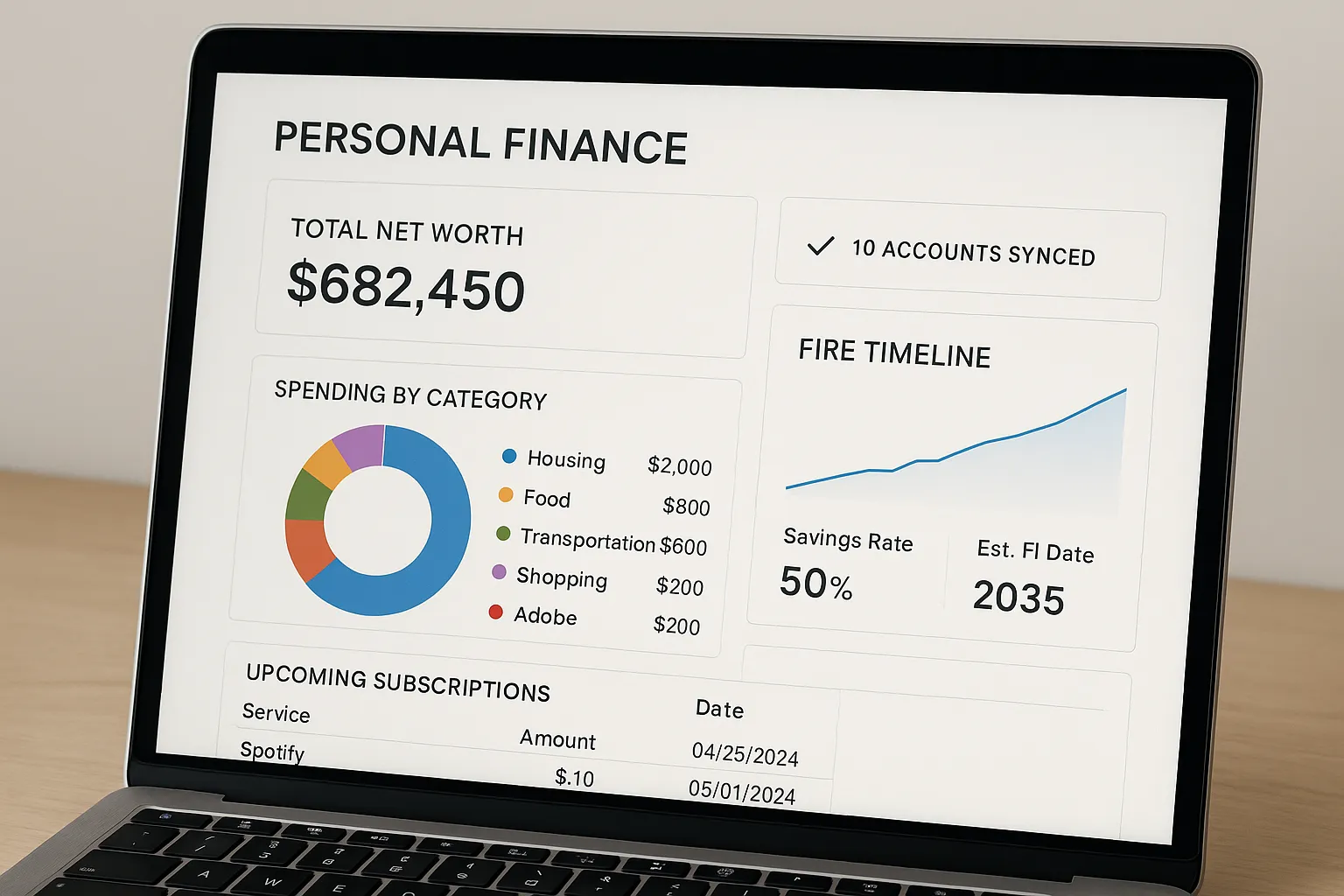
If you are serious about reaching Financial Independence and Early Retirement, you need more than a pretty net worth chart. You need wealth tracker software that pulls every dollar into view, shows where your money actually goes, projects your FIRE date, and keeps you accountable week after week. This guide compares today’s top tools and gives you a simple framework to choose the right fit for your goals in 2026.
What great wealth tracker software should do in 2026
The best tools combine day-to-day money management with long-term wealth tracking. Look for:
- Reliable account connections, broad institution coverage, and stable syncing.
- Smart categorization with customizable categories and reusable transaction rules.
- Flexible budgets and safe-to-spend views that adapt to irregular income.
- Net worth tracking for everything, not only banks and brokerages. You should be able to add custom assets and liabilities.
- Savings rate tracking and FIRE projections that tie to your real numbers. For the math behind FIRE, review our guides on the 4% rule and savings rate.
- Investment and retirement context, including allocation views and long-horizon planning.
- Subscription visibility to prevent silent spend and price creep.
- Portability, data control, and an interface you will actually use every week.
How we evaluated the top tools
We focused on the core jobs most readers care about: unified tracking, budget control, FIRE readiness, and clarity. Tools are grouped by strengths and trade offs. Prices change and specific features evolve, so we emphasize use cases and fit rather than line-by-line specs.
If you are migrating from Mint, you are not alone. Intuit retired Mint and directed users to Credit Karma in early 2024, as widely reported by outlets like The Verge. The landscape has matured since then, with several strong options.
Top wealth tracker software compared
For a side-by-side of FIYR against YNAB, Monarch Money, Copilot Money, Rocket Money and Mint on price, budgeting style and FIRE planning, see the FIYR comparison page.
FIYR, a modern alternative to Mint, Monarch, Copilot, Rocket Money, and Quicken
Built for people who want a clear path to financial independence, FIYR brings budgeting and wealth tracking into one focused app.
- Full money and spending tracker, with income and expense charts that surface habits.
- Custom categories and transaction rules, so every dollar is labeled your way.
- Custom labels on transactions for deeper insights, for example tag every expense with “New York Trip 2026” and see the full trip cost broken down by category.
- Dynamic budgeting options, goal-based budgets, and a safe-to-spend balance that adapts during the month.
- Net worth tracking with custom assets and liabilities, not only linked accounts.
- Savings rate calculator and FIRE date projection based on your actual data. Learn more about FIRE in our primer, Unlocking FIRE, and the Lean vs Fat FIRE comparison.
- Subscription tracking so recurring charges never surprise you.
- Built-in guidance, including a weekly actionable newsletter and educational resources across the blog.
Who it is best for: FIRE enthusiasts, former Mint users who value customization, freelancers and creators with variable income, and anyone who wants wealth tracking plus simple, flexible budgeting.
Trade offs to consider: If you only want investment analytics without budgets or spending tools, a dedicated portfolio dashboard may be a better companion.
Monarch Money
Monarch is a polished, paid personal finance app with strong family sharing and solid budgeting. It appeals to households that want a modern interface and collaborative planning.
- Strengths: Goal setting, shared household features, investment-aware dashboards.
- Trade offs: Premium positioning, which may be more than some solo users need if they primarily want FIRE projections and savings rate tracking.
Copilot Money
Copilot aims for an automation-first experience with clean design and daily transaction review. Many users appreciate its smart categorization and focus on day-to-day clarity.
- Strengths: Fast categorization workflows, friendly interface, proactive feed.
- Trade offs: If you prioritize FIRE timelines and custom asset tracking, you may want to complement it with a FIRE-focused tool.
Rocket Money
Rocket Money is best known for subscription tracking and bill management. It can be a quick win if your recurring costs creep up.
- Strengths: Subscription visibility, bill tracking features, alerts for price changes.
- Trade offs: Less emphasis on FIRE projections and long-term wealth planning compared to FIRE-first tools.
Quicken and Simplifi by Quicken
Quicken Classic remains a robust desktop suite for deep categorization and historical record keeping. Simplifi is the lighter, cloud-first option from the same family.
- Strengths: Detailed budgets, long personal finance legacy, broad feature set.
- Trade offs: Learning curve and complexity for users who want a modern, streamlined workflow.
YNAB (You Need A Budget)
YNAB is a behavior-first system centered on zero-based budgeting and cash flow control.
- Strengths: Excellent at changing spending habits and giving every dollar a job.
- Trade offs: Less focus on investment views and net worth details, which FIRE planners often want.
Empower Personal Dashboard
Previously known as Personal Capital, Empower is a strong fit for portfolio tracking and retirement planning.
- Strengths: Investment analytics and retirement projections.
- Trade offs: Budgeting and day-to-day spend control are not the primary focus.
Tiller
Tiller pipes financial data into spreadsheets. It is incredibly flexible if you love Google Sheets or Excel and want total control.
- Strengths: Extreme customization inside spreadsheets.
- Trade offs: Manual upkeep and spreadsheet maintenance that not everyone has time for.
Quick comparison by use case
| Tool | Best for | Primary focus | Notable strengths | Potential trade offs |
|---|---|---|---|---|
| FIYR | FIRE-focused planners, former Mint users, freelancers | Wealth tracking plus budgeting | Custom assets and liabilities, savings rate and FIRE date, custom labels and rules, safe-to-spend, subscriptions | If you only need portfolio analytics, you may want a companion tool |
| Monarch Money | Households and couples | Collaborative budgeting | Shared plans, goals, modern interface | Premium positioning for solo users with simple needs |
| Copilot Money | Daily spend reviewers | Automation and categorization | Quick transaction workflows | FIRE projections are not the core focus |
| Rocket Money | Subscription-heavy spenders | Recurring charge control | Subscription insights, bill tracking features | Limited long-horizon planning |
| Quicken and Simplifi | Data hoarders and power users | Detailed records and budgets | Depth, long history | Complexity and learning curve |
| YNAB | Habit changers | Zero-based budgeting | Behavior change, discipline | Less investment and net worth depth |
| Empower Personal Dashboard | Investors and retirees | Portfolio and retirement | Investment analytics | Budgeting is not the main feature |
| Tiller | Spreadsheet power users | Custom builds | Total flexibility | Ongoing manual maintenance |
Which one should you choose?
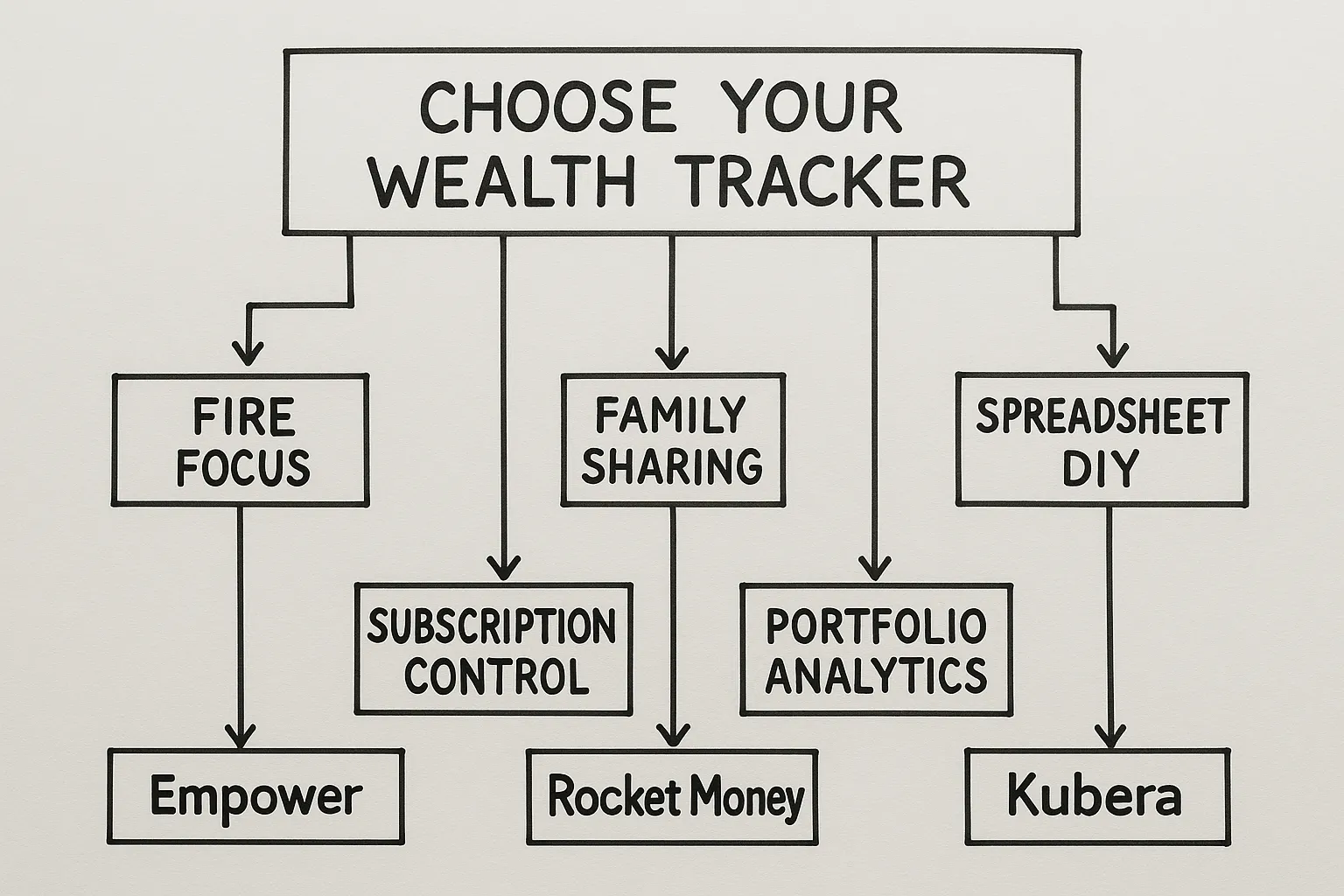
- If you want a modern Mint replacement with stronger FIRE tools, pick FIYR. You get spending control, savings rate tracking, a FIRE date calculator, subscription visibility, and net worth tracking including custom assets and liabilities.
- If you budget with a partner and prefer shared goals and a polished family workflow, Monarch may fit.
- If you want the cleanest daily transaction review, Copilot is appealing.
- If subscription creep is your pain point, add Rocket Money to highlight recurring charges.
- If you need deep desktop records and are willing to manage complexity, Quicken can work.
- If your top priority is portfolio analytics, pair FIYR with Empower or your brokerage’s tools.
- If you love spreadsheets and want to build from scratch, Tiller is a great canvas.
For a deeper dive into FIRE math and timelines, read our guides on the 4% rule, Unlocking FIRE, and Step by Step Guide to Financial Freedom.
A 30 minute FIYR setup to track wealth and accelerate FIRE
Use this checklist to go from zero to insightful in one session.
- Connect your primary accounts, checking, savings, credit cards, brokerage, loans.
- Create custom categories and category groups that match your life, for example Travel, Home Projects, Creator Business.
- Build transaction rules so routine charges auto categorize. Clean data equals better insights.
- Add custom assets and liabilities, include items like RSUs, HSA, a small business, vehicles, or a personal loan. Your net worth should reflect your real life.
- Turn on subscription tracking and label recurring charges you expect to keep or cancel.
- Set up your monthly budget. Use goal-based budgets for sinking funds and let FIYR calculate a safe-to-spend balance for the rest of the month.
- Tag past and future transactions with custom labels, for example “New York Trip 2026”, then view the total trip cost across categories.
- Check your savings rate and run your FIRE projection. Pair this with our resources on boosting your savings rate and index fund investing.
- Schedule a weekly 20 minute money review. Skim new transactions, confirm categories, and glance at net worth and subscriptions.
Key metrics to watch for long-term goals
Whatever software you pick, a handful of numbers tell you whether you are actually moving toward a 10 to 30 year goal:
- Savings rate: your monthly percentage saved or invested, plus the 12-month average
- Net worth delta: change month to month and year over year
- Goal funding rate: what percent of planned contributions you actually made
- Top three spending categories: and whether they match your values
- Subscription count and total: reviewed every quarter
- Safe to spend: consistently positive and aligned with upcoming cash needs
Tie each number to an action. If the 12-month savings rate slips, revisit subscriptions and your highest-impact categories before touching anything else.
Pro tips to get more from any wealth tracker
- Use labels or tags for projects and seasons of spending, weddings, moves, remodels, big trips.
- Track an emergency fund separately and keep it funded. If you need help sizing it, see our emergency fund guide.
- Pair your budget with a debt strategy if you carry balances. Start here, Snowball vs Avalanche.
- Revisit your FIRE number twice a year and sanity check it with the 4% rule. Adjust for lifestyle shifts, inflation expectations, and risk tolerance.
Frequently Asked Questions
What is the difference between a wealth tracker and a budgeting app? A wealth tracker captures everything you own and owe, it shows net worth, assets, liabilities, and trends. A budgeting app focuses on monthly cash flow. The best tools, like FIYR, combine both so your budget decisions link to your long-term plan. Do I have to link my accounts to use FIYR? Linking helps automate tracking, but you can also add custom assets and liabilities to reflect real estate, vehicles, equity grants, or other holdings. Many users start linked, then add custom items for a complete picture. How often should I review my finances? A quick weekly review works well. Confirm categories, check new subscriptions, and scan net worth. Monthly, update goals and budgets. Quarterly, revisit your FIRE projection. Can I track irregular income, like freelance or gig work? Yes. FIYR’s dynamic budgets and safe-to-spend balance make it easier to manage variable paychecks. Use custom labels to tag client projects and see profitability. How do I track a big trip or home project? Create a label like “Summer Europe 2026” or “Kitchen Reno”, tag every related transaction, and review the total cost by category. This improves planning for the next project. What if I am coming from Mint? Mint is retired. You can recreate your categories in FIYR, set up transaction rules, and import or tag recent history. Many former Mint users prefer FIYR’s customization and FIRE-focused insights. How do I plan withdrawals for retirement? Start with our guide to the 4% rule, then use FIYR’s FIRE date projection to model timelines. For a complete roadmap, read Unlocking FIRE and the Step by Step Guide.Start tracking what matters, build the life you want
If you want a single place to see your income, expenses, subscriptions, net worth, and a realistic path to financial independence, FIYR was built for you. Create your custom categories, rules, and labels, turn on savings rate tracking, and let the FIRE date calculator show your runway. Then use the weekly review rhythm to stay on track. When you are ready to go deeper, explore more strategies on our blog, including the Complete Guide to Index Fund Investing and Lean FIRE vs Fat FIRE.